Solving NBI Appointment Problems: Easy Fixes and Smart Tips
Getting your NBI Clearance appointment shouldn’t be stressful. But many people run into issues when booking or during the online process. If that’s you — don’t worry. I’ll walk you through the most common problems and how to solve them step‑by‑step.
Why NBI Clearance Matters
Before we fix problems, let’s be clear why this appointment matters. An NBI Clearance is a document that shows you don’t have a criminal record — and it’s required for jobs, visas, travel, licenses, and many government transactions in the Philippines.
Solving NBI Appointment Problems
Why it happens:
Slots fill up fast because many applicants book early and the system works on a first‑come, first‑served basis.
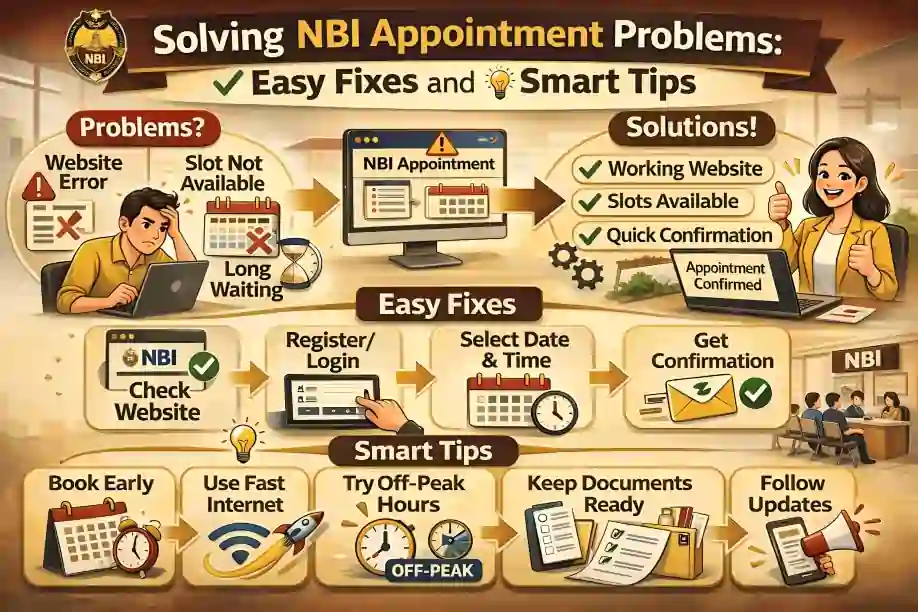
Easy Fixes
- Refresh the calendar often — people cancel and other slots open up.
- Check different NBI branches — some have more availability.
- Book weeks ahead if your schedule allows.
Tip: Early mornings on weekdays usually have faster updates.
Why it happens:
Online payments sometimes fail because of connection issues or incorrect details.
How to fix
- Check that your payment details (card, e‑wallet, etc.) are correct.
- Try a different payment method (GCash, bank, over‑the‑counter).
- If the online payment still fails, go in person to your chosen NBI branch and pay there.
Quick tip: Always save your payment receipt screenshot — it helps if support needs proof.
Sometimes after your appointment, the system shows “Hit” — this doesn’t mean you have a crime. It usually means your name matches someone in the records.
What to do
- Bring extra valid IDs or documents like a birth certificate.
- Visit the NBI office and explain the situation — they can manually verify your identity.
- It may take a few days (5–10) — stay calm and follow instructions.
Pro tip: If you know you have a common name, anticipate this and prepare extra documents.
Sometimes the name, birthday, or email you entered online doesn’t match your IDs. This can block your appointment or delay processing.
Fix it
- Double‑check your details before submitting.
- If you already submitted with mistakes, contact NBI helpdesk or visit the branch to correct it.
Simple tip: When typing your name, copy it exactly as it appears on your valid ID.
ometimes the NBI site doesn’t load, won’t move past a page, or you don’t get OTP (verification code).
Try this first
- Clear your browser cache.
- Use another browser (Google Chrome is usually best).
- Try another device (phone, laptop).
If it still doesn’t work, wait and try again later — the site can be slow during peak times (like mornings and weekdays).
✔ Bring at least two valid IDs on your appointment day.
✔ Arrive 30 minutes early to avoid delays.
✔ Keep your reference number or printed appointment form with you.
Final Tips for a Smooth NBI Appointment
you can also read: How to Resolve Payment Failures for NBI Clearance (2026)
By following these tips, many people solve their NBI appointment problems quickly and smoothly — without stress. Keep it simple, be prepared, and you’ll get your clearance done fast!
FAQ’s
Final Tips
1. Book early and check slots daily.
2. Save screenshots of everything — payment, appointment, confirmation.
3. Prepare extra IDs just in case.
4. If you hit a snag, call or email NBI support — they can help.
By following these tips, many people solve their NBI appointment problems quickly and smoothly — without stress. Keep it simple, be prepared, and you’ll get your clearance done fast!


