
How to Resolve Payment Failures for NBI Clearance (2026)
Paying for your NBI Clearance should be straightforward, but many applicants run into problems during the payment process. Whether the system fails, the status shows “pending,” or the confirmation doesn’t update, these issues are common — and they can be fixed. Here’s a practical, easy-to-follow guide that will help you resolve payment failures and complete your NBI clearance smoothly.
Why Payment Failures Happen
There are several reasons your payment might fail or not show up correctly:
Understanding the cause helps you know what to do next, so let’s walk through the fixes step by step.FAQ’s
Don’t Pay Again Right Away:
This is important: don’t make a second payment right away. If the system seems to fail but your bank or e-wallet already deducted the amount, paying again can cause duplicate payments or make the situation more confusing. Instead, wait a few minutes and check your bank or app balance before trying another action.
Check Your Reference Number and Details:
Every NBI payment is tied to a reference number. This number tells the system which appointment or clearance the payment belongs to.
Before anything else:
Make sure you entered the reference number exactly as shown.
1. Check that the amount you entered matches the correct fee.
2. Confirm that you’re paying before the reference expires.
If the reference expires, the payment might be deducted but not recognized by the NBI system.
Wait a Little Time Before Checking:
Many applicants say they paid, but the status still shows Pending or doesn’t update immediately on the NBI portal. This is because the payment confirmation sometimes takes time to reflect on the system — especially with e-wallet payments like GCash. You should:
1. Wait at least 30 minutes to a few hours
2. Refresh your “Transactions” page on the NBI portal
3. Check your bank or e-wallet transaction history
Use a Stable Internet Connection:
A weak or unstable internet connection can interrupt your payment or stop the confirmation from showing properly. Before you try paying again:
1. Move to a better connection if possible
2. Use mobile data or Wi‑Fi with good signal
3. Avoid switching networks during the payment process
A stable connection makes the portal communicate smoothly with your bank or e-wall
Try a Different Payment Method:
If one payment method fails repeatedly:
1. Try paying with a different online option
2. Use another e-wallet, bank transfer, or over‑the‑counter outlet
Different payment channels work differently at peak times, so switching method can help the payment go through successfully.
Save Screenshots and Receipt Proof:
Whenever you make a payment:
1. Take a screenshot of the payment screen before you submit
2. Save screenshots of the confirmation or deduction from your bank/e-wallet
This proof helps you if you need to follow up with NBI later.
Contact NBI Support When Stuck:
If your payment still shows “Pending,” “Unpaid,” or disappeared entirely even after waiting and refreshing:
1. Visit the NBI office on your appointment day with your proof of payment
2. Bring screenshots of your payment confirmation
Provide your reference number and valid IDs
3. NBI staff can sometimes manually validate your payment or update the status during your visit.
What Happens If the Reference Expires Before Payment?
If too much time passes and the system automatically cancels your reference before you pay, the payment might still go through on your bank side but not link to the NBI appointment. In this case:
1. Your fee might be forfeited or refunded in rare cases
2. You may need to rebook and secure a new reference number
3. Always try to pay as soon as you secure your appointment — this avoids expiry problems.
Quick Tips to Avoid Payment Failures
Here’s a short checklist you can follow next time:
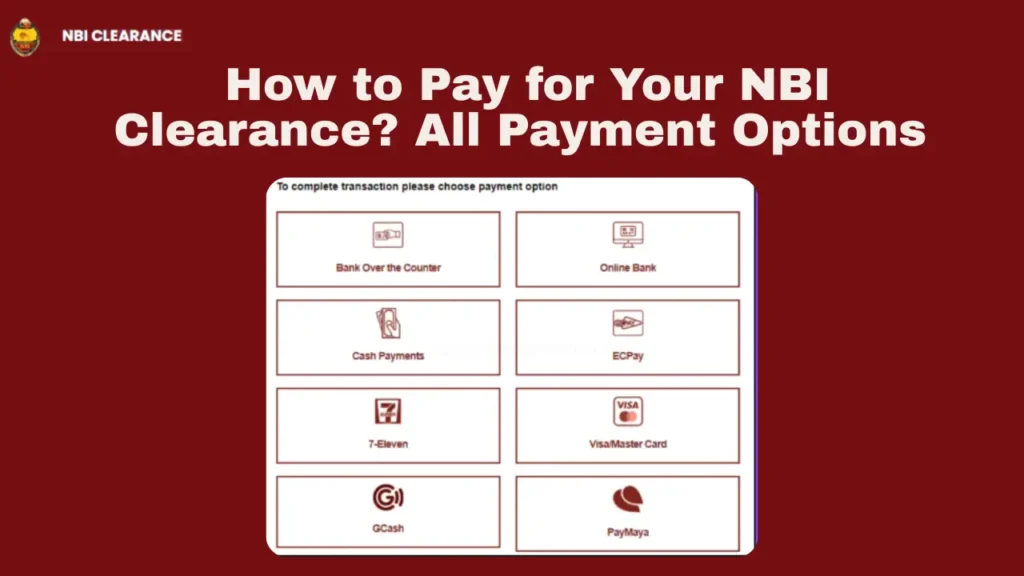
you can read about more ways to pay your fee: How Can we pay NBI Clearance fee in 7/11 store?
FAQ’s
Final Words
Payment problems can be annoying, but they don’t have to stop you from getting your NBI Clearance. Most issues happen because of temporary delays, wrong details, or payment timeouts — and these can be fixed with patience and the steps above.
Start by confirming your reference and waiting a bit before doing anything else. If the status still doesn’t update, bring your proof to the NBI branch — staff can usually help you sort it out on the day of your appointment.
By staying calm, checking details carefully, and following the simple tips here, you’ll be able to finish your NBI Clearance payment without unnecessary stress. Just take it one step at a time, and don’t rush to pay again unless you are absolutely sure the first payment didn’t go through.


