Common NBI Registration Issues and How to Fix Them – 2026
Getting your NBI Clearance in the Philippines is a common task, whether you’re applying for a job, processing documents, or traveling. With the transition to online registration, some users face issues during the process. Here’s a simple guide to understand these problems and how you can easily solve them.
1. No Verification Email After Registering
After registering online, you might not receive the activation email, or the link doesn’t work.
First, check your spam or Junk folder; the email may have ended up there. If the link has expired, use the “resend verification” option available on the site. Alternatively, you can try creating a new account with a slightly different email address (like using a different variation of your name or avoiding special characters). If these steps don’t work, visit the NBI branch for assistance.
Use a clean email address without special characters or nicknames to avoid mismatches.
2. “Duplicate Account” Error
You receive a message saying an account with your email or details already exists.
Try resetting the password for any possible email you might have used previously. Sometimes, using a different format (like including or excluding Jr./Sr.) or maiden names can resolve the issue. If resetting doesn’t help, visit the NBI branch with your valid IDs, and they can assist in consolidating your account.
3. “Hit” Status After Printing Your Appointment
A “Hit” status means the NBI system found your name in its records, and it requires extra verification. This doesn’t necessarily mean you have a criminal case.
Don’t panic. A “Hit” just means extra verification is needed. Wait for NBI to contact you for more information or visit the NBI branch with valid IDs such as your birth certificate and government-issued ID. Ensure that your personal details, such as the name format, match those on your IDs to avoid confusion.
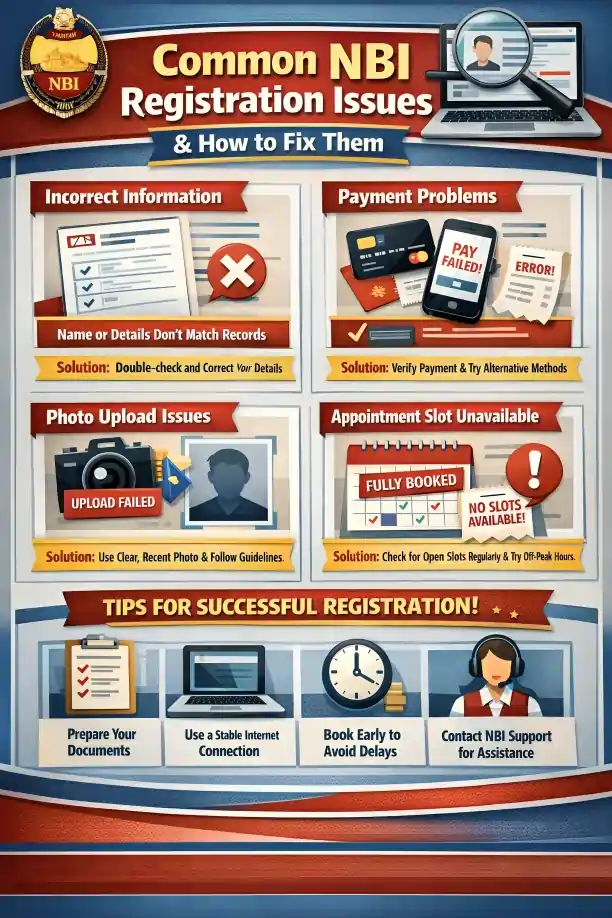
4. Payment Doesn’t Reflect in the System
You make your payment for the clearance online, but the system still shows it as pending.
Wait at least 24 hours for the system to update. If the payment still doesn’t show up, keep a copy of your receipt and bring it to your NBI appointment so the staff can verify your payment manually.
5. No Available Appointment Slots
You try booking an appointment, but all available slots are already taken.
Try checking back frequently to see if new slots open up due to cancellations. If you’re flexible, you can also check for availability at a different NBI branch that may have open times.
6. Website Errors and Technical Problems
The NBI website might not load, freeze during registration, or show an error after clicking buttons.
Clear your browser’s cache or use a private browsing window. Alternatively, try using a different browser, as some work better with the NBI registration site.
Try using Google Chrome, as it is often more compatible with government websites.
7. Incorrect or Mismatched Personal Details
Your name, birthdate, or address doesn’t match what’s on your ID, causing errors.
Double-check your personal details before submitting the form. If you notice a mistake after submission, visit the NBI branch with your original clearance and valid IDs to request a correction.
8. Wrong or Missing Valid ID
You bring a different ID than the one you selected during registration.
Ensure that the IDs you bring to your appointment match exactly what you selected during the online registration process. It’s a good idea to bring an extra valid ID as a backup.
Quick Helpful Tips for a Smooth NBI Registration
you can also read about: Solving NBI Appointment Problems: Easy Fixes and Smart Tips
FAQ’s
Final Words
NBI registration doesn’t have to be a stressful process. Most issues are simple to fix by double-checking your details, staying patient, and following the outlined steps. With a little preparation, you’ll have your NBI clearance in no time!


