How to Edit Information in NBI Clearance Online 2026
NBI (National Bureau of Investigation) Clearance is an important document for many Filipinos. It’s required for job applications, passport issuance, travel abroad, and various legal and government procedures. However, sometimes mistakes are made in the information provided, or personal details change over time. In such cases, it’s essential to update your NBI Clearance to ensure it reflects accurate and current information. Thankfully, NBI has simplified this process through an online platform that allows users to edit their information without the need for a physical visit to the NBI office in most cases.
In this guide, we will walk you through the steps on how to edit information in NBI clearance online, the required documents, the process of both online and offline updates, and answer some of the most frequently asked questions related to this process.
Why You Might Need to Edit Your NBI Clearance Information
There are several reasons why you may need to update your NBI Clearance information. Some of the most common reasons include:
Error Correction: You might have made a mistake while filling out your details in the application. This can include spelling errors in your name or incorrect birthdates.
Changes in Personal Information: Over time, your personal details may change, such as a change in marital status, address, or citizenship.
Ensuring Accuracy for Official and Legal Purposes: Incorrect details on your NBI clearance can lead to delays or rejections when using it for government or professional purposes.
Step-by-Step Guide: How to Edit Your NBI Clearance Information Online
Editing your NBI clearance information online is a simple and efficient process. Follow these steps to update your details:
Step 1: Visit the Official NBI Clearance Website
Open your browser and go to the official NBI Clearance website: clearance.nbi.gov.ph. Make sure you are on the correct website to avoid scams.
Step 2: Log In to Your NBI Clearance Account
Step 3: Access the “Edit Information” Section
After successfully logging in, locate the “Application” tab on the left-hand menu. Under this tab, you will find an option called “Edit Information”. Click on it to proceed to the information editing page.
Step 4: Review Your Current Information
Before making any changes, review your personal details carefully. Ensure that your name, birthdate, address, and other personal information are up to date. If there are any errors, take note of the fields that need to be corrected.
Step 5: Edit Your Information
Click on the fields you want to edit and enter the correct information. Common fields you may need to update include:
Step 6: Upload Supporting Documents (If Necessary)
Depending on the information you’re updating, you may need to provide supporting documents. For instance:
Scan and upload the necessary documents in the required file format.
Step 7: Save the Changes
Once all the required information has been updated and documents have been uploaded, click on “Save Information” to confirm your changes.
Step 8: Verify Your Changes
After saving your changes, it’s important to verify that the updates were successfully applied.
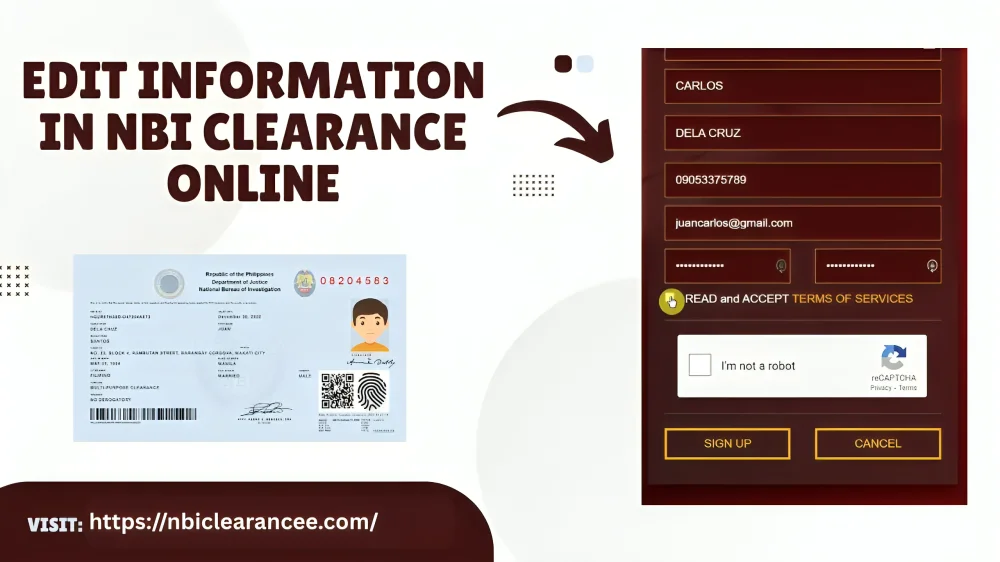
Required Documents to Edit Information in NBI Clearance Online
Required Documents to Edit Information in NBI Clearance Online
For various types of changes, you will need to upload specific documents to verify your identity. Here’s a list of common documents required:
| Information to Edit | Required Documents |
| Name (First, Middle, Last) | Valid Government ID (e.g., Passport, UMID, National ID) |
| Date of Birth | PSA-authenticated Birth Certificate |
| Civil Status | Marriage Certificate, Divorce Certificate, Spouse’s Death Certificate |
| Address | Recent Utility Bill or Tenancy Contract |
| Contact Details (Email, Phone Number) | No documents required; physical visit may be necessary |
| Family Information (Father’s, Mother’s, Spouse’s Name) | Government-issued ID of concerned family member |
| Occupation/Employment Information | Job Offer Letter or Salary Slip |
| Educational Information | Degree Certificate or Equivalent |
| Other Information (e.g., Religion, Identifying Marks) | No documents required for visual verification |
Offline Method: When to Visit the NBI Clearance Center
In certain cases, you may be required to visit the NBI Clearance Center in person. This is typically needed when:
If you are visiting offline, follow these steps:
Find the Nearest NBI Clearance Center: Check the NBI website or use maps to locate the nearest center.
Submit Required Documents: Bring all the supporting documents for the changes you need to make.
Complete the Application Form: Fill out a new application form with your updated details.
Pay Fees and Capture Biometrics: Pay the applicable fees and get your biometrics (fingerprints and photo) taken.
Collect Updated NBI Clearance: Wait for your updated NBI clearance to be processed and collect it from the center.
Important Tips for a Smooth NBI Clearance Update Process
Ensure you have all necessary documents before you start the process to avoid delays.
A stable connection ensures you don’t encounter issues while submitting your information online.
Always review the information you’ve entered to avoid any future complications.
Keep an eye on your NBI clearance status and update it regularly to reflect any changes in your personal information.
FAQ’s
Final Words
Editing information in your NBI clearance online has never been easier. By following the steps in this guide, you can ensure that your NBI clearance always contains accurate and up-to-date details. Whether you’re correcting a mistake or updating your information due to life changes like marriage or a new address, it’s essential to keep your NBI clearance current for smooth processing of job applications, government services, and other official matters. If you encounter any issues or need further assistance, the NBI Help Desk and local centers are always ready to help.
By maintaining accurate records, you help streamline your application process and avoid complications in future dealings with government agencies or employers. Keep your NBI clearance updated to ensure a hassle-free experience!


