How to Check NBI Clearance Status Online in 2026
Getting your NBI Clearance is a must for jobs, travel, licenses, and many other documents in the Philippines. The good news? You can now check your clearance status online. Here’s how, step by step.
Quick Overview: What Is NBI Clearance?
An NBI Clearance is a certificate from the National Bureau of Investigation in the Philippines that shows whether you have a criminal record or not. It’s required for employment, government requirements, visa applications, school enlistments, and more.
How to Check Your NBI Clearance Status Online in 2026
You can check your NBI Clearance status anytime from your computer or phone as long as you have internet access.
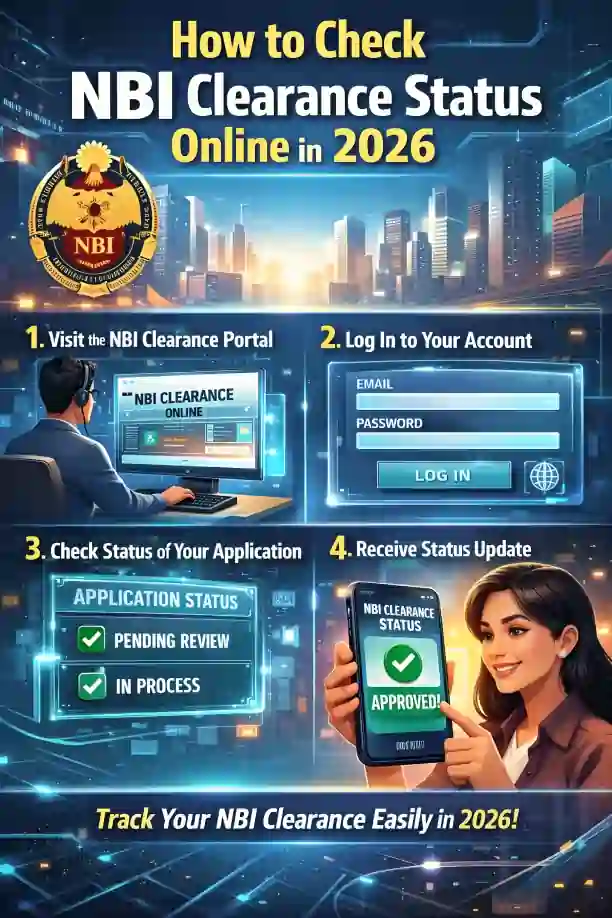
Visit https://clearance.nbi.gov.ph. Make sure you’re on the official page — many unofficial sites try to copy the look and trick users.
Use the email and password you registered with when you applied. Without this, you cannot check your status online.
Once logged in, look for your list of applications. You’ll see a table with:
- Your Reference Number
- The Date of Appointment
- Your Current Status
Example status labels:
Hit – Needs extra checking.
Paid – Your payment is confirmed.
Scheduled – Appointment set.
For Verification / QC – Under review.
Released / Printed – Ready for pickup.
Here are the easy explanations:
Released / Printed
Your clearance is done! You can pick it up from the branch, or if you chose delivery, the courier will bring it to you.
Paid
Your payment is successful. Just go to your appointment.
Scheduled
You have a date and branch already. Don’t be late!
For Verification / Quality Control
Your details are being reviewed. This is a normal part of the process.
Hit
This means your name matched someone else in the system. It doesn’t always mean trouble. Stay calm and follow instructions on the portal if asked to submit more documents.
you can also read: NBI Clearance: How to Handle “Hit” Status Quickly
Tips to Track Delivery (If You Chose Delivery)
If you asked for home delivery:
- Check your NBI online “Transactions” tab — it may display a delivery status.
- Check your email or SMS — sometimes courier companies send tracking information.
- Save your reference number — you’ll need it for tracking or any questions.
Helpful Tips to Avoid Delays
FAQ’s
Final Words
Checking your NBI Clearance status online in 2026 is fast and stress-free if you know where to look. Just log in, check the “Transactions” tab, and see your current status.
If something looks confusing, like a “Hit,” don’t panic. Just follow the notes on your portal and visit the branch if needed.