How to Fix NBI Online Registration Errors in 2026
Getting an NBI Clearance should be simple, but many people run into problems when signing up or logging in online. If you’re facing errors while registering or activating your account on the NBI portal, you’re not alone — and there are easy ways to solve them. This guide walks you through common errors and clear fixes that actually work.
Why Online Registration Errors Happen
Before we fix things, let’s quickly understand why errors show up:
These are common issues people report when registering online.
lets you activate your account.
Try this:
- Check your spam/junk or promotions folder in your email. Search for NBI or your own email used to register.
- If you don’t see it, go back to the registration page and look for a Resend Verification Email button — use it.
- If the link has expired, try registering again with the same details but a slightly different email (maybe remove special symbols).
- Make sure your email spelling is correct before submitting the form.
Pro Tip: If you still can’t activate, screenshot the error and bring it with you when you visit the NBI branch for help.
Sometimes the email link stops working because it expired.
How to fix it:
Consider using a different email service (for example, Gmail instead of another provider).
Go back to the NBI registration form and click the Resend Verification Email link (if available).
Try to activate the link within a short time after you receive it.
If it still doesn’t work, register again with the same personal details.
NBI system is under maintenance or overloaded.
What to do:
- Wait 5–10 minutes and refresh the page.
- Try again during off‑peak hours (early morning or late evening).
- If your internet connection is slow, switch to a faster network or restart your router.
- Try a different browser (Google Chrome works well for most users).
If none of these work, try registering again later. Servers sometimes restart or update, and the problem goes away on its own.
When you register, the portal sends an OTP (a short code) to your mobile. If it doesn’t come or expires too fast, it stops the registration.
Fix it by:
Requesting OTP again after 30–60 seconds if it doesn’t arrive.
Checking if your phone has a good signal before requesting OTP.
Waiting a few minutes before requesting a new code.
Making sure the phone number you entered is correct.
This happens when you tried registering before and didn’t complete the process.
Solution:
If you don’t get the reset email, check spam/junk folders again.
Go to the login page and click Forgot Password
Enter your registered email and follow the reset steps.
Sometimes the error has nothing to do with you — the NBI site could be updating or under maintenance.
Try this:
Don’t keep submitting repeatedly — the system may block your IP for too many requests.
Check if other users are also reporting the same issue.
Wait 30 minutes and try again.
Quick Tips to Avoid Registration Errors
Here are some tips people don’t always know:
Register Early: Don’t wait until the last minute before your requirement deadline.
Use a Simple Email: Some email providers delay government emails.
Save Screenshots: If you get errors, screenshot them — helpful later if you need support.
Write Down Your Reference Number: After registration, it helps track your application.
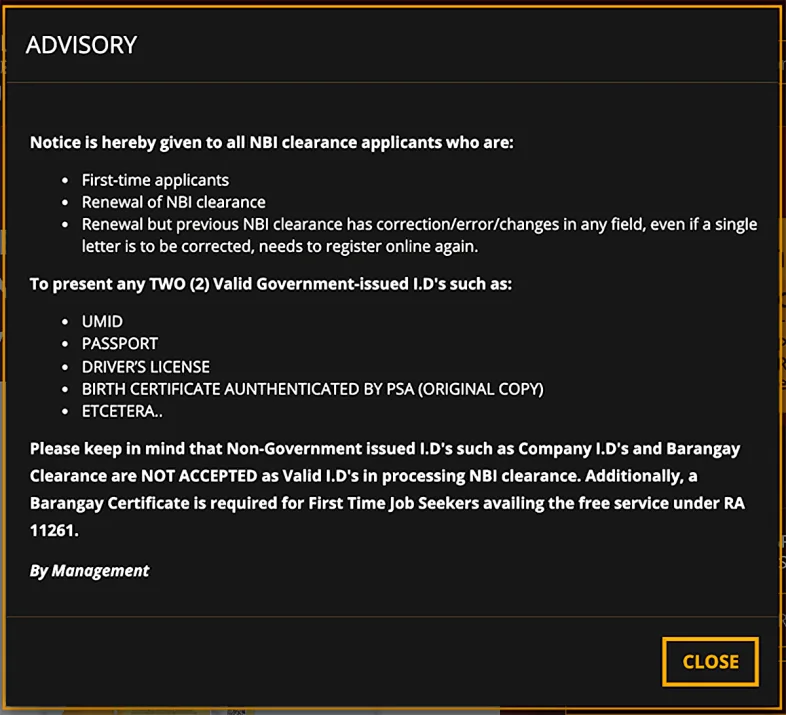
Contact NBI Help: The NBI now has a dedicated contact number you can call if you get stuck.
When to Ask for Help at an NBI Office
If you’re still stuck after trying all the fixes above, it’s worth visiting your chosen NBI branch on your appointment day and explaining the issue. Bring:
Why Is My NBI Clearance Not Showing After Appointment?
If your NBI clearance status hasn’t updated or it’s missing after your appointment, don’t panic. This can happen for several reasons, from data mismatches to internal delays.
How to resolve this:
How to Fix NBI Online Registration Payment Issues
Sometimes after completing the online form, the payment gets stuck or doesn’t process correctly.
What to do:
You Can Also Read About: NBI Clearance Validity Period (2026 Update)
FAQ’s
Final Words
NBI online registration errors are annoying, but most can be fixed quickly if you follow the steps above. Remember to check your email folders carefully, double‑check your information before submitting, and don’t panic if an error shows up — most problems have simple solutions.


